● 10 presets para Lightroom, Lightroom Classic & Lightroom Mobile.
● 10 presets for Lightroom, Lightroom Classic & Lightroom Mobile.
INSTALACIÓN:
● Descarga el archivo ZIP (en tu computadora, NO en tu teléfono).
● Abre Lightroom y ve a la sección de Presets. Haz clic en Archivo > Importar Perfiles y Presets.
● Selecciona el archivo ZIP de los presets y haz clic en Importar. → Seleccionando el archivo ZIP.
● Reinicia Lightroom y tus presets ahora se mostrarán en la sección de presets.
● Una vez hecho eso descarga el app de Lightroom en tu celular, entra a tu cuenta y automaticamente las apps se van a sincronizar.
Si tienes dudas, no dudes en buscarlo en Google/YouTube también.
INSTALL:
● Extract the ZIP file (to your desktop computer, not to your phone).
● Open Lightroom and go to the Presets section. Click on File > Import Profiles & Presets.
● Select the presets ZIP file(s) and click Import. → Selecting the ZIP file.
● Restart Lightroom and your presets will now be listed in the Presets section.
● Once you've done that, download the Lightroom app on your phone, sign in to your account, and the apps will automatically synchronize.
When in doubt, also feel free to Google/YouTube it.
● 10 presets para Lightroom, Lightroom Classic & Lightroom Mobile.
● 10 presets for Lightroom, Lightroom Classic & Lightroom Mobile.
INSTALACIÓN:
● Descarga el archivo ZIP (en tu computadora, NO en tu teléfono).
● Abre Lightroom y ve a la sección de Presets. Haz clic en Archivo > Importar Perfiles y Presets.
● Selecciona el archivo ZIP de los presets y haz clic en Importar. → Seleccionando el archivo ZIP.
● Reinicia Lightroom y tus presets ahora se mostrarán en la sección de presets.
● Una vez hecho eso descarga el app de Lightroom en tu celular, entra a tu cuenta y automaticamente las apps se van a sincronizar.
Si tienes dudas, no dudes en buscarlo en Google/YouTube también.
INSTALL:
● Extract the ZIP file (to your desktop computer, not to your phone).
● Open Lightroom and go to the Presets section. Click on File > Import Profiles & Presets.
● Select the presets ZIP file(s) and click Import. → Selecting the ZIP file.
● Restart Lightroom and your presets will now be listed in the Presets section.
● Once you've done that, download the Lightroom app on your phone, sign in to your account, and the apps will automatically synchronize.
When in doubt, also feel free to Google/YouTube it.

 Image 1 of 8
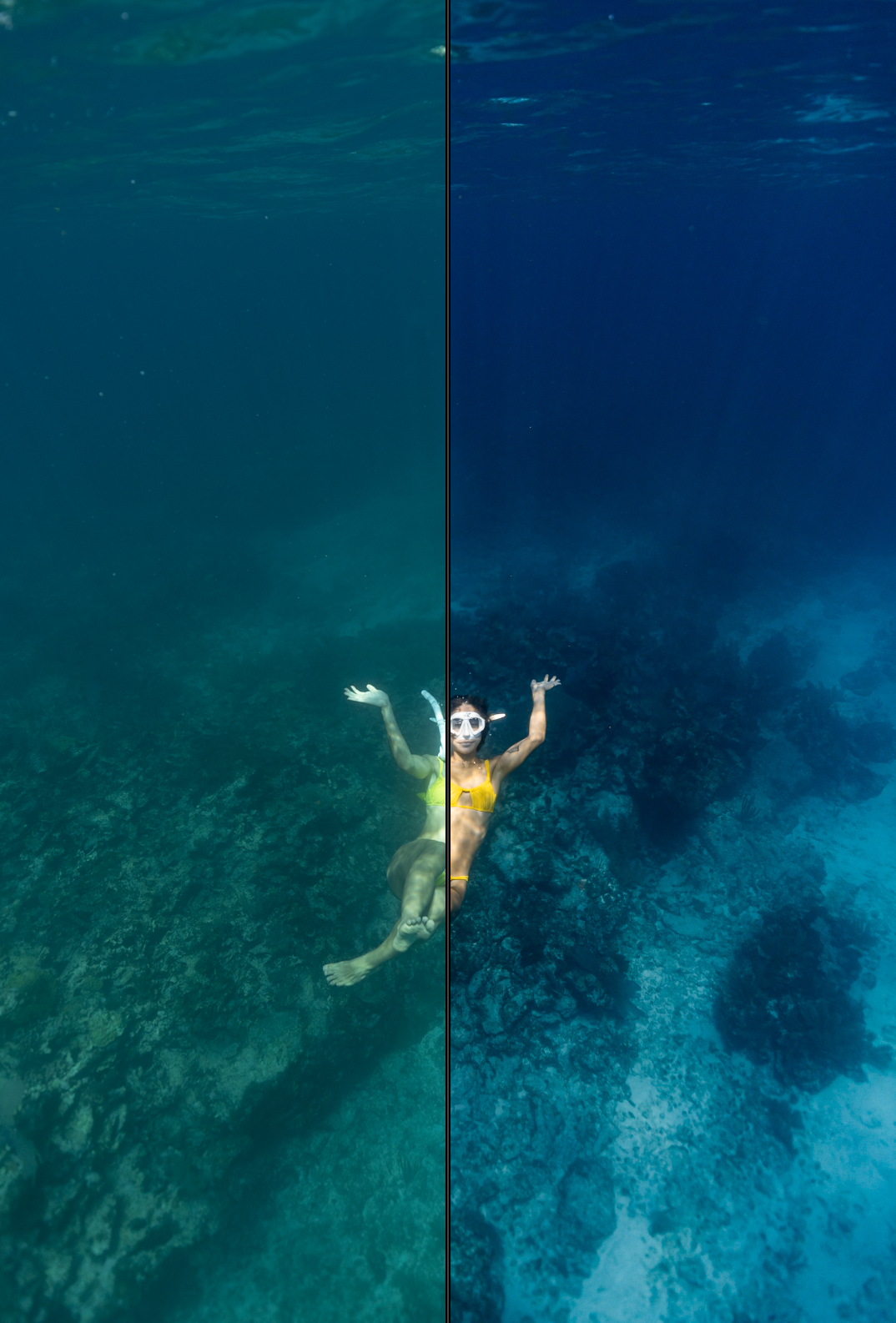 Image 2 of 8
 Image 3 of 8
 Image 4 of 8
 Image 5 of 8
 Image 6 of 8
 Image 7 of 8
 Image 8 of 8